Filter Properties
The properties of a filter are grouped into several tabs.
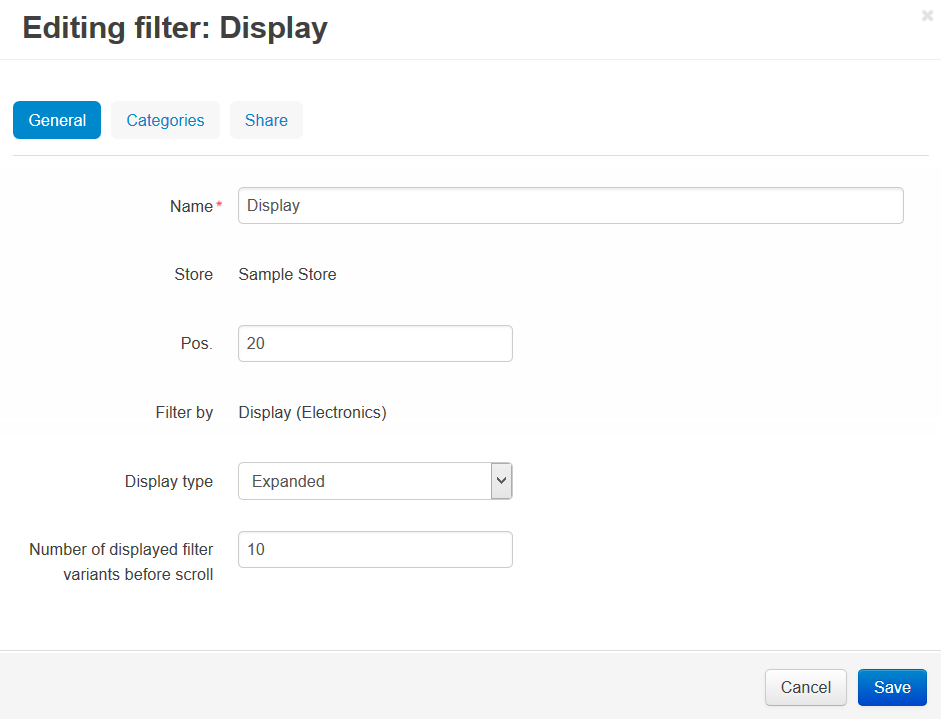
General
- Name—the name of the filter.
- Store—the storefront to which the filter belongs.
- Pos.—the position of the filter relative to other filters.
- Filter by—the feature by which the products will be filtered.
- Display type—the way how the filter will be displayed on the storefront:
- Expanded—filtering criteria are displayed on the screen in the Product filters block by default.
- Minimized—filtering criteria are hidden until a customer clicks the arrow icon.
- Number of displayed filter variants before scroll—the number of filter variants that will be displayed simultaneously. Customers will have to scroll through the list to see other variants.
Categories
A list of categories where the filter will be displayed. If no category is specified, the filter will appear in all categories.
Note
If a customer runs a search for a product on the storefront, all active filters that have appropriate products will be displayed, regardless of the category.
Questions & Feedback
Have any questions that weren't answered here? Need help with solving a problem in your online store? Want to report a bug in our software? Find out how to contact us.