How To: Add a Product Filter
Adding a Filter
In the Administration panel, go to Products → Filters.
Click the + button on the right and specify filter properties in the New filter window that will open.
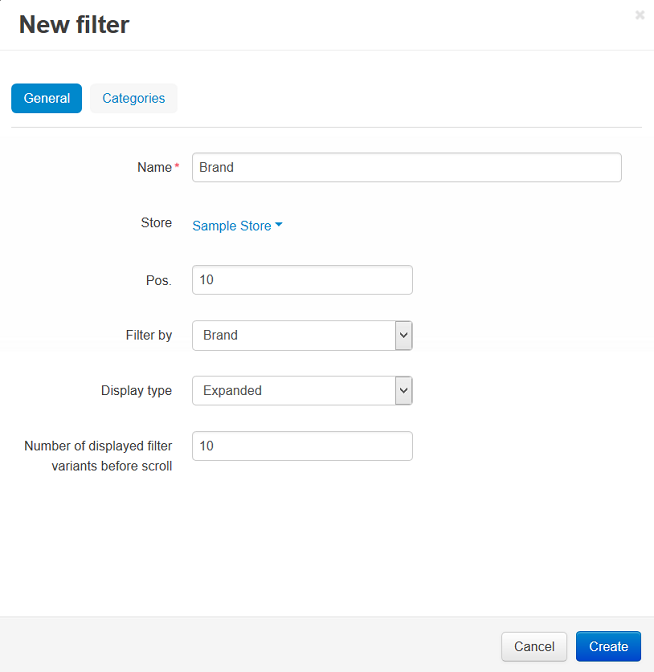
Switch to the Categories tab.
Click the Add categories button and add categories where this filter will be displayed.
Important
If a category is selected, the filter will be displayed only on the page of that category.
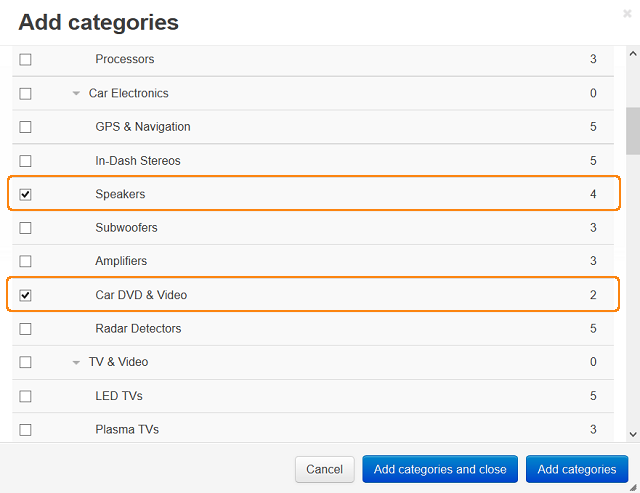
Click the Create button.
Adding a Block for Filters
Filters appear on the storefront in a Product filters or Product filters for homepage block. To create this block:
Go to Design → Layouts.
Click the + button in the necessary location and click Add block.
Switch to the Create New Block tab and click the Product filters or Product filters for homepage.
Enter the block name (for example, My filters) on the General tab.
Choose the desired Template:
- Original—a box with all available product filters and a price slider.
- Selected filters—a box with filters selected by a customer.
- Horizontal filters—a box with all available product filters; the filtering criteria are selected in drop-down menus.
Switch to the Content tab and click the Add filters button.
Tick the checkboxes of the desired filters and click the Add filters and close button.
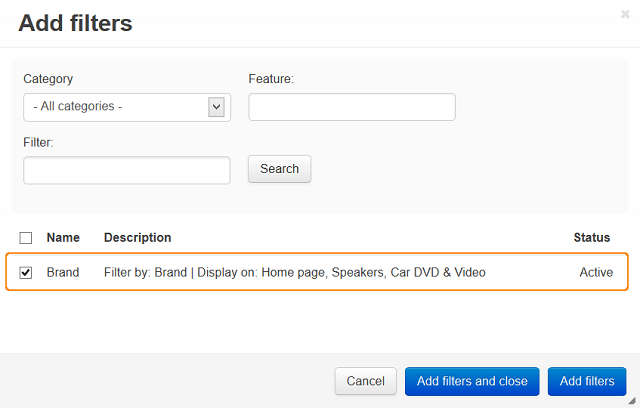
Click the Create button.
Questions & Feedback
Have any questions that weren't answered here? Need help with solving a problem in your online store? Want to report a bug in our software? Find out how to contact us.